
Scan the receipt
Point your camera at the receipt. Pareto reads every item, the tax, and the tip automatically.
Assign & split
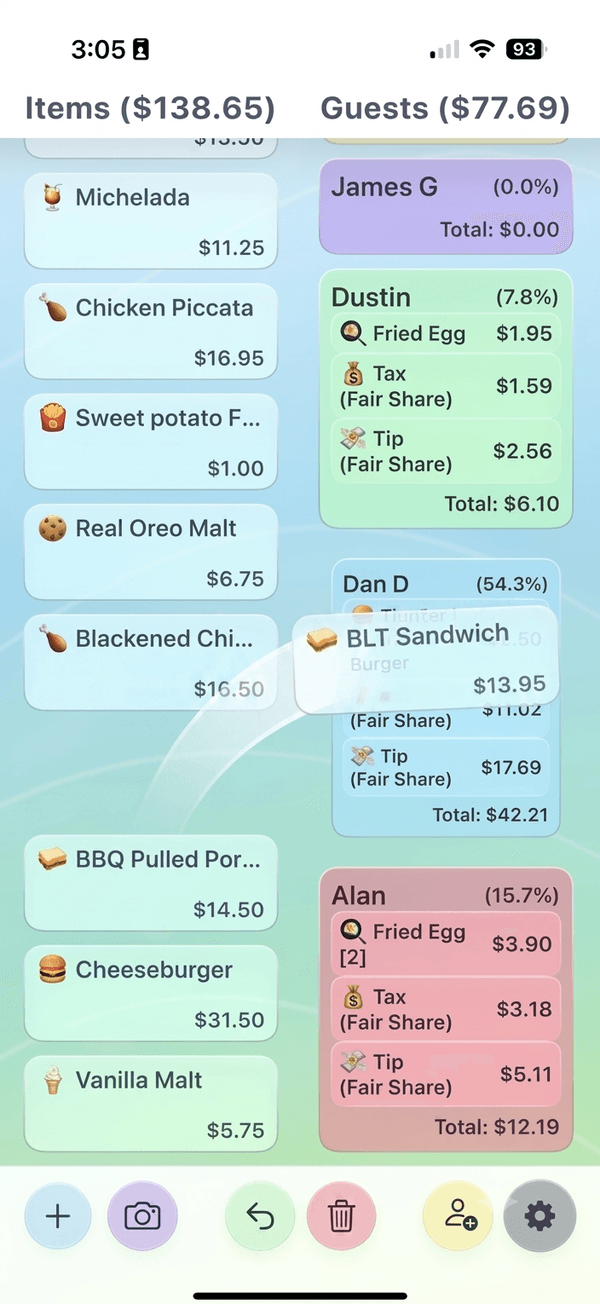
Tap items onto each person. Tax and tip are split fairly, down to the cent.
Send & track
Send everyone a Venmo link in one tap, then watch who's paid and nudge who hasn't.
Built to actually get you paid back
The hard part of bill splitting isn't the math, it's the follow-up.
Instant receipt scanning
AI reads the whole receipt, no manual typing.
Fair tax & tip splitting
Everyone pays their true share, automatically.
One-tap Venmo links
Send the whole group payment links at once.
Payment tracking
See who's paid you back and re-send a reminder to who hasn't.
Stop chasing your friends for money.
Download on the App StoreBill splitting guides
Free tools and how-tos for splitting the check.
Questions
Is Pareto free?
Yes. Scanning receipts, splitting bills, and sending Venmo links are all free. Pareto Pro adds payment tracking, reminders, and export for people who split bills often.
Does Pareto work with Venmo?
Yes. Pareto generates one-tap Venmo request links for every person on the bill, so you don't have to type in amounts by hand.
How does bill splitting work in Pareto?
Scan the receipt, tap items onto each person, and Pareto splits the tax and tip fairly based on what everyone actually ordered, down to the cent.
Can I track who still owes me money?
Yes. Pareto keeps a running list of everyone you've split a bill with and shows who's paid and who still owes you, so you can send a quick reminder.
Do my friends need to download the app?
No. You text everyone a payment link. They tap it and pay in Venmo — no app, no account, nothing to install.
Do I need an account to split a bill?
No. Pareto works with no signup and no login. Open the app, scan a receipt, and start splitting.
Is Pareto available on Android?
Not yet. Pareto is an iPhone app today. The people you split with can pay from any phone, since they just tap a link.